Case study 01 / 06
OhYum!
A food-finder app that helps people with celiac disease discover safe places to eat, without the guesswork or the risk of cross-contamination.
- Platforms
- Mobile, desktop & smartwatch
- Context
- Google Design for Good
- Focus
- Safe dining with celiac disease
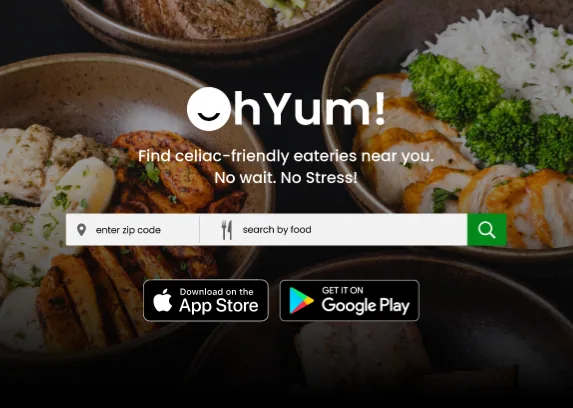
At a glance
The problem
People with celiac disease need safe food away from home, but finding it takes time and effort, and cross-contamination remains a real risk.
The approach
I ran user interviews and a competitive analysis, designed and usability-tested a mobile app, then extended the design across screen sizes, from smartwatch to desktop.
The outcome
High-fidelity mobile and desktop prototypes; testing led to clearer gluten-free labels and a Favorites tab. One participant said the app brings “the confidence to travel more and try new restaurants!”
Highlights
- Allinterviewees named finding safe food as a time sink
- 3competitors analyzed: Find Me Gluten Free, Uber Eats, OpenTable
- 2testing findings turned into design changes
- 3screen sizes: mobile, smartwatch & desktop
Overview
This one is personal: I set out to make finding a safe meal quick, low-risk, and low-stress for the celiac community.
Background
OhYum! is a tribute to my mother, to myself, and to everyone living with a restrictive diet because of an autoimmune disease like celiac disease.
Challenge
Cross-contamination is a real risk in restaurants and other eateries, so eating out with celiac disease takes constant vigilance and extra care with every food choice.
Solution
Uber Eats, reimagined for the celiac community. A curated database surfaces low-risk meals nearby, taking the stress out of dining out or ordering in. It helps users find safe places to eat quickly, cutting wait times and the risk of cross-contamination.
Research
Two things kept people on edge: the time it takes to find safe food, which every interviewee raised, and the fear of cross-contamination at new restaurants.
Interviews
Takeaway: users needed a dedicated celiac app with precise language and reliable search, built to ease the challenges below and boost their confidence.
Preliminary research and pre-testing conversations shaped my interview questions.
User Pain Points
Availability
Food that’s safe, fast, and convenient is scarce, which makes it hard to balance access with dietary safety.
Risk
Even restaurants that advertise gluten-free options made many users anxious. Trying a new one meant worrying about cross-contamination and getting sick.
Time
Every interviewee raised it: finding and choosing safe food away from home takes time and effort, often delaying meals and adding stress.
Persona & Problem Statement
Juanita needs a quick, reliable way to find safe places to eat without risking illness.
She has celiac disease and loves traveling and spending time with friends and family, so trustworthy dining options are essential.
User Journey Map
The map traces Juanita’s ideal flow step by step, so I could make sure each stage of her experience felt easy.
Competitive Analysis
Existing apps left gaps, and those gaps became the starting point for my first sketches.
I studied Find Me Gluten Free, Uber Eats, and OpenTable as direct and indirect competitors, documenting their key screens with detailed notes and screenshots.
Ideate & Design
Juanita needed speed and reliability, so search results and map screens got most of my sketching time.
Paper Wireframes
Working from the problem statement, I sketched a range of solutions to the gaps I’d found in the competitive analysis, focusing on search results and map screens.
Digital Wireframes
Building on the paper sketches, I focused the first digital designs on personalized guidance that helps users meet their specific dietary needs.
Usability Testing
Testing surfaced what was missing: users wanted labels that clearly separate gluten-free from gluten-sensitive options, and they struggled to save favorite restaurants.
Low-Fidelity Prototype
I connected the full user flow, from browsing nearby restaurants to adding a food item to the cart, so testers could navigate the app as real users would.
Interactive prototype
Click through OhYum!
Explore the real flows in Figma. The prototype loads on demand to keep this page fast.
Findings
Clear Labeling
Users asked for accurate restaurant labels that tell gluten-free apart from gluten-sensitive, so they can make informed choices and dine more safely.
Saving Favorites
Adding a new favorite restaurant to an account was a struggle. Users asked for favorites to live directly in the navigation bar.
Iterate & Refine
Both findings went straight into the mockups: one change for safer choices, one for faster access to favorites.
Mockups
- Labeling: a distinct home-screen section clearly labels gluten-free vs. gluten-sensitive options.
- Favorites: a new Favorites tab in the navigation bar gives quicker access.
Accessibility Considerations
Safe-food information only helps if everyone can use it, so I designed for screen readers and color contrast, then took the tested flow to high fidelity.
Screen Readers
Interactive elements have descriptive labels that screen readers can interpret.
Color Contrast
The branding uses strong color contrast for visual clarity.
High-Fidelity Prototype (Mobile)
It follows the same flow as the low-fidelity version, with the improvements from usability testing built in.
Interactive prototype
Click through OhYum!
Explore the real flows in Figma. The prototype loads on demand to keep this page fast.
Responsive Design
OhYum! had to work beyond the phone, from smartwatch to desktop, without feeling like a different product on each.
Sitemap
A concise sitemap guided how I structured each screen of the responsive website and kept the experience cohesive and consistent across devices. I moved on to the website once the app designs were final.
Across Devices
I tailored the designs to screen sizes including mobile, smartwatch, and desktop, optimizing each for users’ needs on that device.
High-Fidelity Prototype (Desktop)
Interactive prototype
Click through OhYum!
Explore the real flows in Figma. The prototype loads on demand to keep this page fast.
The OhYum! app brings me the confidence to travel more and try new restaurants!
Reflection
My biggest lesson was restraint: a big problem doesn’t need a big app. The next step is research into whether OhYum! actually helps people find safe food faster.
Even when a challenge feels vast, I don’t need to solve everything at once. Tackling one problem at a time gives users a more enjoyable experience, without unnecessary features to overwhelm them.
I loved building something that can make a meaningful difference for a community.
Next Steps
- Research how well the app helps people with celiac disease find food faster and more safely.
- Explore partnerships with restaurants on their gluten-free menus.
- Add a reviews tab and section to the mobile app and web platform.